


YouTube Solo Filming App
Shootsolo is the YouTube solo filming app that handles your shoot while you stay in character. Voice commands control recording, saving, and retaking — so you can produce YouTube-ready takes faster and alone.
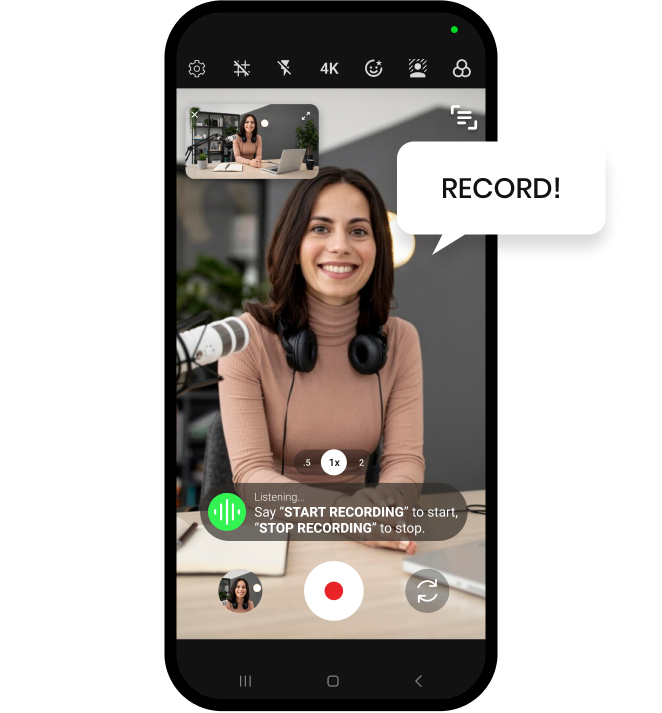

Shootsolo is the YouTube solo filming app that handles your shoot while you stay in character. Voice commands control recording, saving, and retaking — so you can produce YouTube-ready takes faster and alone.


Solo YouTubers film their videos using a tripod, good lighting, and a hands-free capture workflow. Shootsolo replaces the old walk-back-and-tap cycle with voice commands, so every take is triggered, approved, or reshot from wherever you're standing.

Shootsolo begins the take instantly — no taps, no countdown.

Shootsolo stops and asks "Save take?"

Say "yes" to keep the take or "no" to reshoot — hands-free.
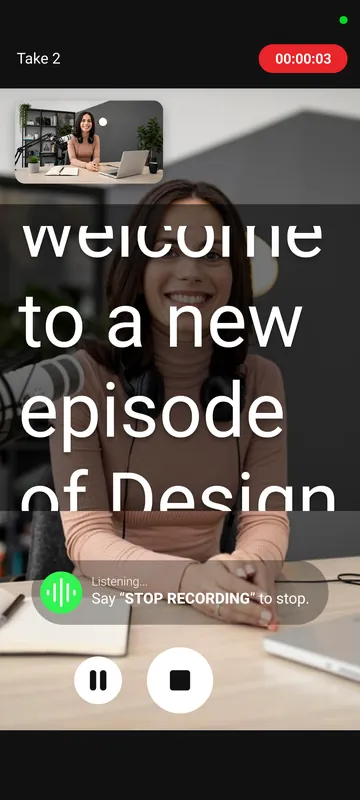
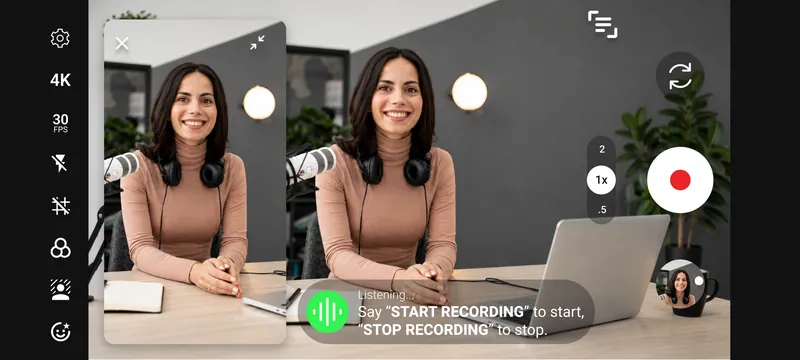
YouTube creators who film alone spend as much time managing the camera as they do performing. Shootsolo collapses that by giving you full voice control of the capture step. You stay on-set, in-frame, and on-script while the app does the housekeeping. Every take is saved in landscape and portrait at once, so the same shoot feeds your main channel and your Shorts. Scripted videos get easier too, thanks to the built-in teleprompter.


Shootsolo is specifically built for solo YouTubers. Voice commands eliminate the need to touch the phone between takes.
Shootsolo uses your phone's camera capabilities, so if your device supports 4K video, Shootsolo can record in 4K.
Yes — say "start recording", deliver your take, say "stop recording", then choose to save or reshoot. Say "Pause Recording" and "Resume Recording" for a mid-take break, or "Play Video" and "Close Video" to review a take in the built-in player. Repeat until your shoot is done.
Yes. Shootsolo saves every take in both landscape and portrait at the same time, so one recording gives you a horizontal file for your long-form video and a vertical file for Shorts — no re-filming and no cropping.
Yes. The built-in teleprompter displays your script on screen while you record. You can adjust the scroll speed and text size, and you stay looking at the lens rather than off to the side.
No. Shootsolo saves standard video files you can open in any editor — Premiere, Final Cut, CapCut, DaVinci Resolve, iMovie, etc.
Yes — Shootsolo is free on the App Store and Google Play, and recording is unlimited. Film as many takes and videos as your channel needs: there are no recording limits, no ads, no watermark on your footage, and no subscription.
Available on iPhone and Android.
Every Shootsolo feature, guide and creator page in one place.
Follow us for updates and valuable content creation tips.


