shape shape shape

Virtual Studio Lights App for Video

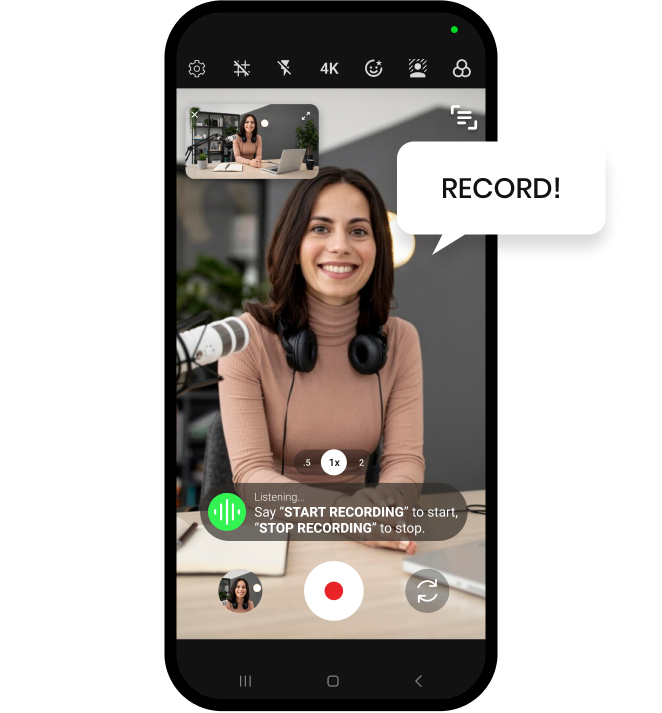
Shootsolo is a free virtual studio lights app for video on iPhone and Android. Add adjustable virtual spotlights and colored lights inside the camera, move them, recolor them and set their intensity. The effect is live, so what you see in the preview is exactly what is recorded.


  • Download for iPhone
  • Download for Android
Shootsolo app preview dots

What is a virtual studio lights app?

A virtual studio lights app is a video lighting app that styles the light in your shot from inside the camera, rather than with stands, bulbs and cables. Shootsolo's Studio Lights are adjustable virtual spotlights and colored lights. You place each light where you want it on the frame, pick its color and raise or lower its intensity, all while watching the live preview. Because the lighting is part of the camera and not something added later, the look you build is the look that is saved in the recording.

How Studio Lights work in Shootsolo

place your lights

1. Place your lights

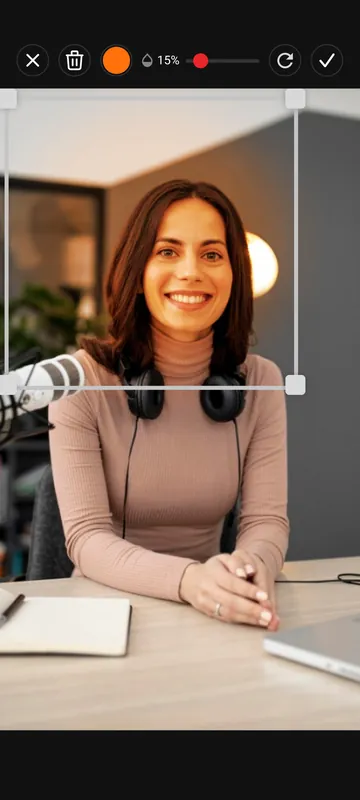
Open Studio Lights in the Shootsolo camera, add a virtual spotlight or a colored light and move it to the spot that suits your framing.

tune color and intensity

2. Tune color and intensity

Recolor each light and make it stronger or softer. The preview changes as you adjust, so you can judge the look before a single frame is filmed.

record by voice

3. Say "start recording"

Step back and film hands-free. The lighting is recorded exactly as you see it. Say "stop recording", then "yes" to keep the take or "no" to discard it.

Why creators light their videos with Shootsolo

  • No need to buy or set up expensive RGB studio lights — the colored lights and spotlights are built into the camera
  • Reposition every light on the frame until it suits your face and your framing
  • Recolor lights to match a mood, a brand color or the tone of the video
  • Change intensity from a subtle lift to a bold, stylized look
  • A live effect: the preview is exactly what ends up in the recording
  • Works alongside voice commands, the teleprompter, background blur, skin smoothing and recording up to 4K
  • Free and unlimited on iPhone and Android, with no ads, no watermark, no subscription — and it works 100% offline
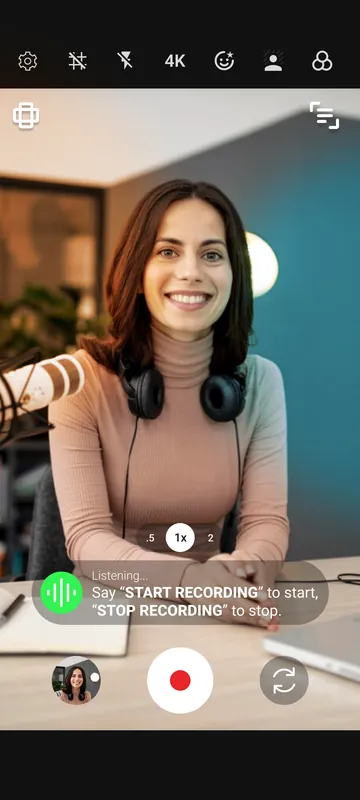
Adding and positioning an orange RGB light in Shootsolo Studio Lights Shootsolo camera with a virtual spotlight and two RGB studio lights applied

Get the RGB studio look without buying RGB studio lights

Most solo creators film wherever they happen to be: a bedroom desk, a rented flat, a hotel room on a work trip. Real RGB studio lights are expensive, need stands, power and setup time, and are not realistic to carry around — and a plain overhead bulb rarely gives a video any character. With Studio Lights you no longer need to buy or use them: you build the same colored, studio-style look on your phone instead. Drop a virtual spotlight onto the frame for a focused, presenter-style feel, or wash the scene with a colored light for a music, gaming or late-night mood. Pair the lights with the skin smoothing beauty filter and exposure controls to finish your on-camera look, and use background blur or a green screen to deal with whatever is behind you. Then record by voice so nothing shifts between takes.


Download for iPhone   Download for Android

Frequently Asked Questions

What is a virtual studio lights app?

A virtual studio lights app adds lighting effects to your video inside the camera instead of with physical equipment. In Shootsolo, Studio Lights are adjustable virtual spotlights and colored lights that you can reposition, recolor and make stronger or softer before you record.

Are the Studio Lights recorded in the video or only shown in the preview?

They are recorded. Studio Lights are applied live, and what you see in the Shootsolo preview is exactly what is recorded, so there is no lighting effect to add afterwards.

Do I still need to buy RGB studio lights?

For the look, yes. You no longer need to buy or set up expensive RGB studio lights to get colored, studio-style lighting in your videos — Studio Lights add it inside the camera and record it exactly as you see it. They shape the image rather than add real light to your room, so a reasonably lit room still helps.

Can I change the color and intensity of the lights?

Yes. Each virtual spotlight or colored light in Shootsolo can be repositioned, recolored and changed in intensity, and the preview updates live while you adjust it.

Is the Studio Lights feature free?

Yes. Studio Lights are included in Shootsolo at no cost, along with unlimited recording. There are no ads, no watermark and no subscription.

Do Studio Lights work offline and on both iPhone and Android?

Yes. Shootsolo works 100% offline, so Studio Lights need no internet connection, and the feature is available on both iPhone and Android.

Download Shootsolo — Free

Virtual spotlights and colored lights for your videos, on iPhone and Android.


Download for iPhone   Download for Android