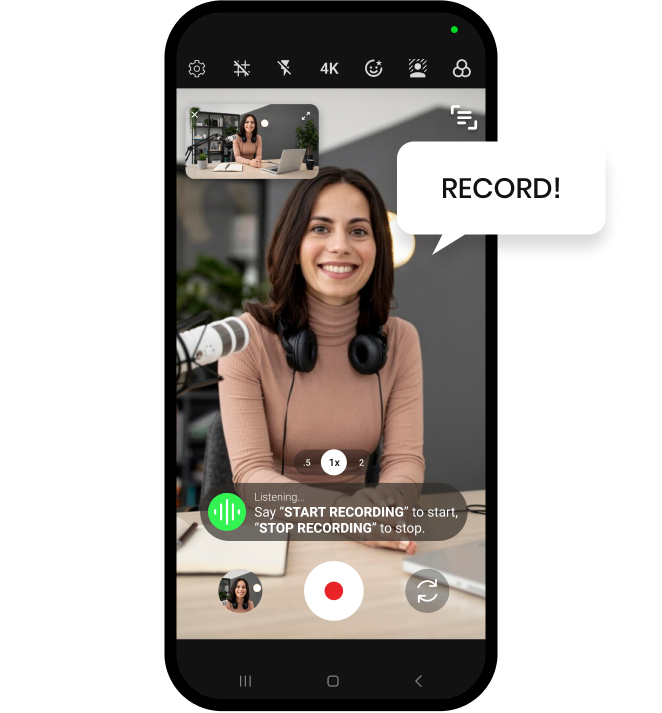
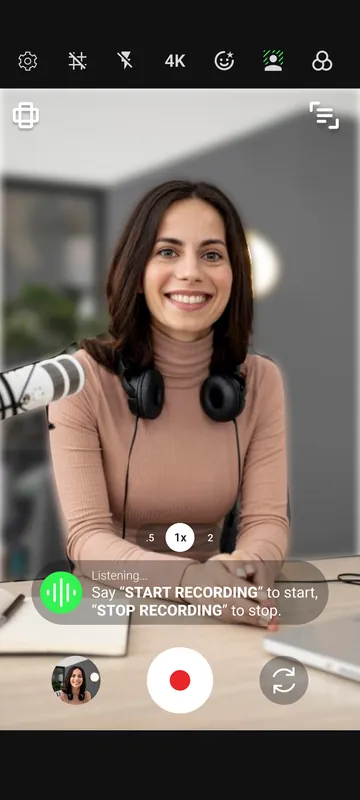
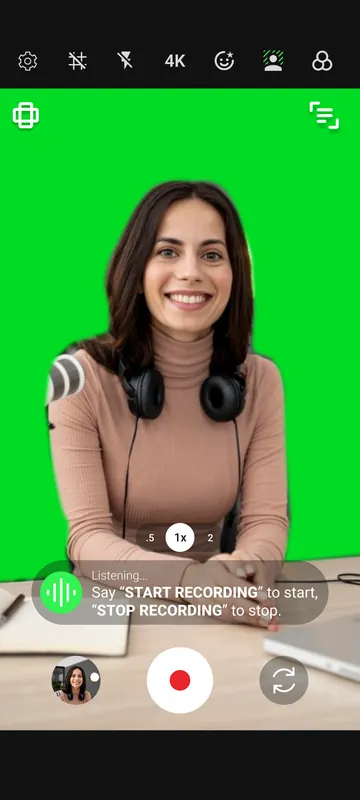
Shootsolo is a free video recording app for iPhone and Android that blurs your background or drops in a green or grey screen live while you film. What you see on screen is exactly what is recorded, so a messy room never makes it into the take — and you can run the whole shoot by voice.

A background blur and green screen video app is a camera app that changes what appears behind you while the video is being recorded, not afterwards. Background blur softens the room so the attention stays on you. A green screen or grey screen background gives you a flat, solid backdrop instead of the room — green for keying out later in a video editor, grey for a clean, neutral look straight out of the camera. Shootsolo applies all three live in the camera preview, and what you see is exactly what is recorded.
Open the background effects and choose blur, green screen or grey screen. The preview updates live, so you can check the look before you film.
Step into frame and start the take by voice. The effect is recorded exactly as you see it — no taps, no countdown.
Say "stop recording", then "yes" to keep the take or "no" to discard it and go again with the same backdrop.
Most solo creators film where they live: a bedroom, a kitchen corner, a shared office. Shootsolo lets you decide what the viewer sees behind you. Blur the background for talking-head videos, course lessons and video podcasts. Switch to green screen when you plan to key the background out later in your video editor, or to grey screen when you want a plain, distraction-free backdrop as it is. Because the effect is live, you can line yourself up with the composition grid first and check the result in the built-in video player right after the take. Pair it with skin smoothing and Studio Lights for a finished look, or read your script from the built-in teleprompter while you record.
Yes. Shootsolo is completely free with unlimited recording, and background blur, green screen and grey screen are all included. There are no ads, no watermark and no subscription.
Yes. Turn on background blur in Shootsolo before you start the take and the blur is applied live while you film. What you see in the preview is exactly what is recorded, so there is nothing to add afterwards.
No. Shootsolo adds the green screen background inside the app, so you do not need fabric, a stand or a painted wall. Choose green screen in the background effects, check the preview, and record.
Green screen gives you a solid green background that is easy to key out later in a video editor. Grey screen gives you a plain, neutral backdrop that looks clean as it is. Shootsolo offers both, plus background blur.
No. Shootsolo offers background blur, green screen and grey screen. If you want a custom image or video behind you, record with the green screen background and replace the green afterwards in the video editor of your choice.
Yes. Shootsolo works 100% offline, so background blur, green screen and grey screen all work with no internet connection, on both iPhone and Android.
Every Shootsolo feature, guide and creator page in one place.