


Video Podcast Recording App for Solo Hosts
Shootsolo is a video podcast recording app built for solo hosts. Start each take by voice, keep what works, reshoot what doesn't, and keep your entire session on-camera and in-flow.
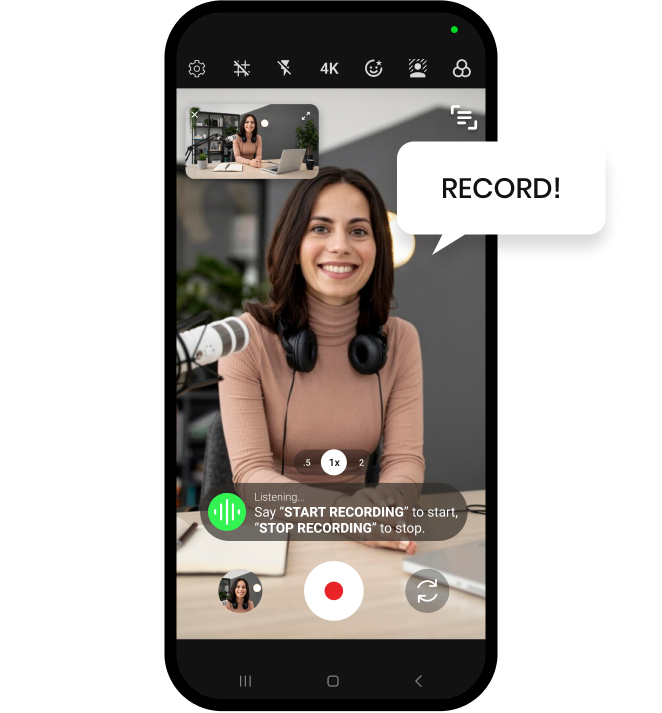

Shootsolo is a video podcast recording app built for solo hosts. Start each take by voice, keep what works, reshoot what doesn't, and keep your entire session on-camera and in-flow.


To record a video podcast alone, set up your camera on a tripod with good lighting and use a voice-controlled app like Shootsolo to manage takes without touching the phone. You stay in presenter mode while the app handles the rest.

Shootsolo begins the take instantly — no taps, no countdown.

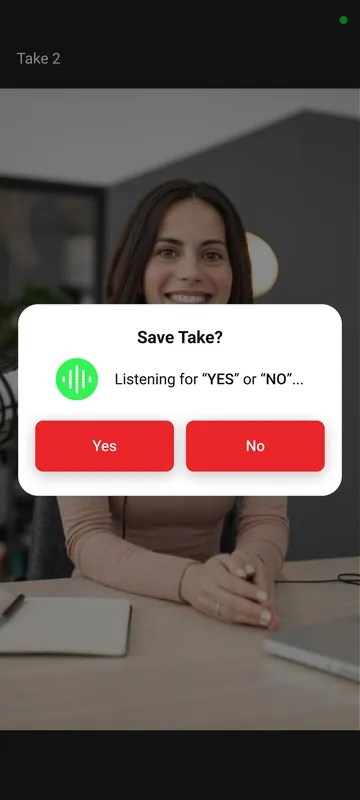
Shootsolo stops and asks "Save take?"

Say "yes" to keep the take or "no" to reshoot — hands-free.
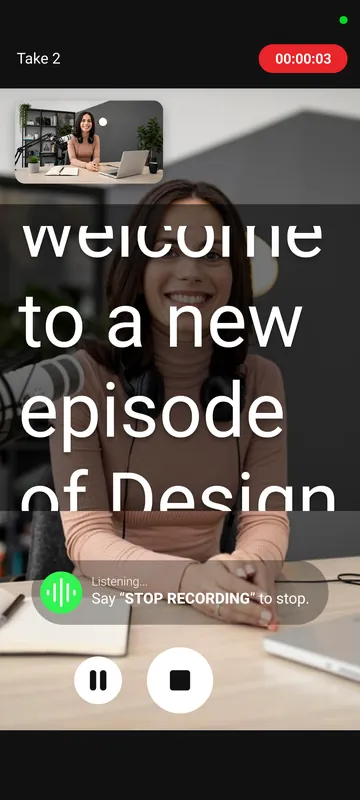
Solo video podcasters need to look prepared and polished on camera — and nothing breaks that illusion faster than getting up to reset a take. Shootsolo keeps you seated, composed, and on-camera from the first word to the last. Load your intro or talking points into the built-in teleprompter and read them while looking straight at the lens. For cleaner audio, Shootsolo also supports external microphones.


Shootsolo is built for exactly this use case — voice-controlled, hands-free, with per-take review. It's completely free: unlimited recording with no limits, no ads, no watermark, and no subscription.
Yes — Shootsolo supports external microphones. As long as your phone recognizes the mic, Shootsolo will use it as the audio source.
Yes. Shootsolo has a built-in teleprompter that shows your script on screen while you record, with adjustable scroll speed and text size, so you keep eye contact with the lens instead of glancing at notes.
Yes. Say "Pause Recording" to hold the recording while you sip water or check your notes, then say "Resume Recording" to carry on in the same take — no need to touch the phone.
Yes. The only practical limit is your phone's storage. Shootsolo will record as long as you need.
No — Shootsolo focuses on capture. Use a dedicated transcription tool for episode transcripts.
Yes. Say "stop recording", save the take, then say "start recording" again to begin the next segment. For a short break inside a segment, say "Pause Recording" and "Resume Recording" instead.
Available on iPhone and Android.
Every Shootsolo feature, guide and creator page in one place.
Follow us for updates and valuable content creation tips.


