shape shape shape

Camera App with External Mic & Bluetooth Shutter Support

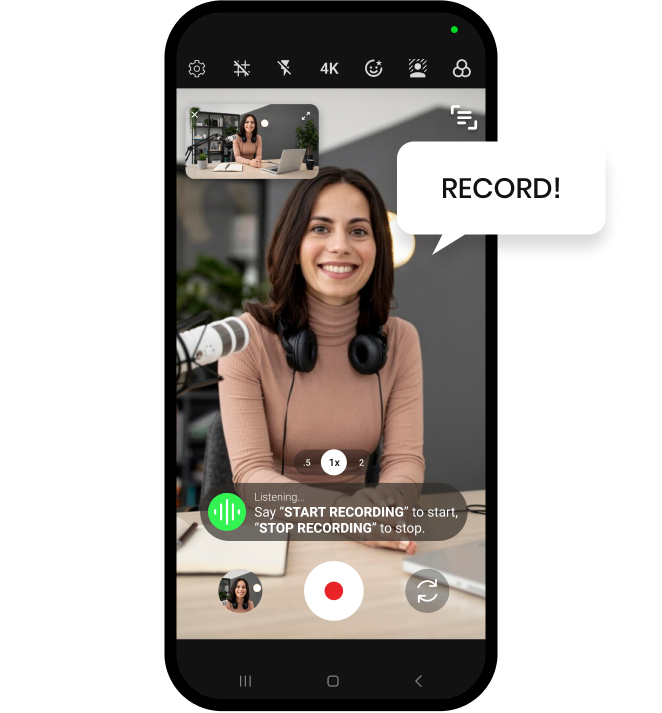
Shootsolo is a free camera app for iPhone and Android that supports external microphones and Bluetooth shutter remotes, and records video at up to 4K. Connect your mic for the sound you want, trigger takes with a remote or your voice, and review every shot in the built-in player before you keep it.


  • Download for iPhone
  • Download for Android
Shootsolo app preview dots

What is a camera app with external mic and Bluetooth shutter support?

It is a video camera app that records sound from a microphone you connect to your phone rather than relying only on the built-in one, and that lets a Bluetooth shutter remote trigger recording from a distance. Shootsolo pairs both with recording at up to 4K, a composition grid, a safe-zone overlay and full voice control, so solo creators get the sound and picture they want without anyone standing behind the camera.

How Shootsolo works

connect your gear

1. Connect your gear

Connect your external microphone to your phone, pair your Bluetooth shutter remote if you use one, and open Shootsolo.

frame the shot

2. Frame the shot

Record at up to 4K, switch between the front and back camera, and line yourself up with the composition grid and safe-zone overlay.

record and review

3. Record, review, keep

Press your remote or say "Start Recording". After the take, watch it in the built-in player, then keep or discard it.

Why creators who care about sound and picture choose Shootsolo

  • External microphone support — your voice no longer depends on the phone's built-in mic
  • Bluetooth shutter remote support — trigger a take with a button from wherever you stand
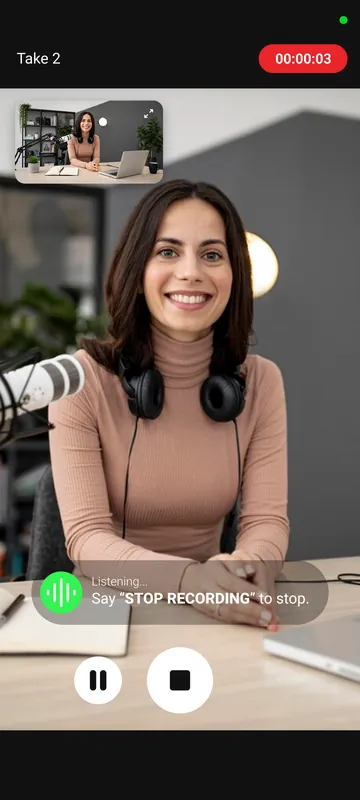
  • Voice commands too — say "Start Recording", "Pause Recording", "Resume Recording" or "Stop Recording", so a remote is never required
  • Up to 4K video recording for sharp, detailed footage
  • Composition grid and safe-zone overlay to get the framing right before you roll
  • Built-in video player to check picture and sound on the spot, then keep or discard the take
  • Completely free and unlimited — no ads, no watermark, no subscription, and it works offline
Shootsolo recording a take, listening for the Stop Recording voice command

Made for podcasters, YouTubers and anyone filming alone with real gear

A good microphone is often the first upgrade a solo creator buys, and it is wasted if the camera app ignores it. Shootsolo supports external microphones, so a video podcast, a talking-head YouTube video or a recorded lesson can use the mic you chose, at up to 4K. If you like a physical button, a Bluetooth shutter remote works too; if your hands are full, your voice does the same job. Either way you never walk back to the phone to start or stop a take.

After each take, play it back in the built-in video player to check the audio and framing, keep it or discard it, and rename the file straight away if you like tidy folders. Reading from a script? The built-in teleprompter shows your lines while you record, and voice control covers the moments when the remote is out of reach.


Download for iPhone   Download for Android

Frequently Asked Questions

Does Shootsolo support external microphones?

Yes. Shootsolo supports external microphones on both iPhone and Android, so you can record your videos with a dedicated mic instead of relying only on the phone's built-in microphone.

Can I use a Bluetooth remote shutter with Shootsolo?

Yes. Shootsolo supports Bluetooth shutter remotes, so you can trigger recording from a distance with a physical button. A remote is optional — you can also run the whole session with voice commands.

Do I need a Bluetooth remote if the app has voice control?

No. Saying "Start Recording" and "Stop Recording" does the same job, so no remote is required. Bluetooth shutter support is there for creators who prefer a button, or who are filming somewhere they would rather not speak a command.

Can Shootsolo record 4K video?

Yes. Shootsolo records video at up to 4K, and you can frame the shot with the composition grid and safe-zone overlay before you start.

How do I check that my audio sounds right after a take?

Use the built-in video player. You can play the take back on the spot, listen to it, and then keep or discard it before moving on. You can even say "Play Video" and "Close Video" to do it hands-free.

Is Shootsolo free to use with an external mic and a remote?

Yes. External microphone support, Bluetooth shutter support, 4K and every other feature are included for free. Recording is unlimited, with no ads, no watermark and no subscription, and the app works offline.

Download Shootsolo — Free

External microphone support, Bluetooth shutter support and up to 4K — all included, on iPhone and Android.


Download for iPhone   Download for Android