shape shape shape

How to Record Yourself Hands-Free

The easiest way to record yourself hands-free is to use a voice-controlled camera app like Shootsolo. Set up your phone on a tripod, say "start recording", film your take, and say "stop recording" when you're done — then say "yes" to save or "no" to reshoot.


  • Download for iPhone
  • Download for Android
Shootsolo app preview dots

How do you record a video hands-free?

You record hands-free by using a camera app that responds to voice commands instead of screen taps. Shootsolo listens for "start recording" to begin a take and "stop recording" to end it, then asks if you want to save. You can also say "pause recording", "resume recording", "play video", and "close video", so you never need to reach for your phone during a shoot.

How Shootsolo works

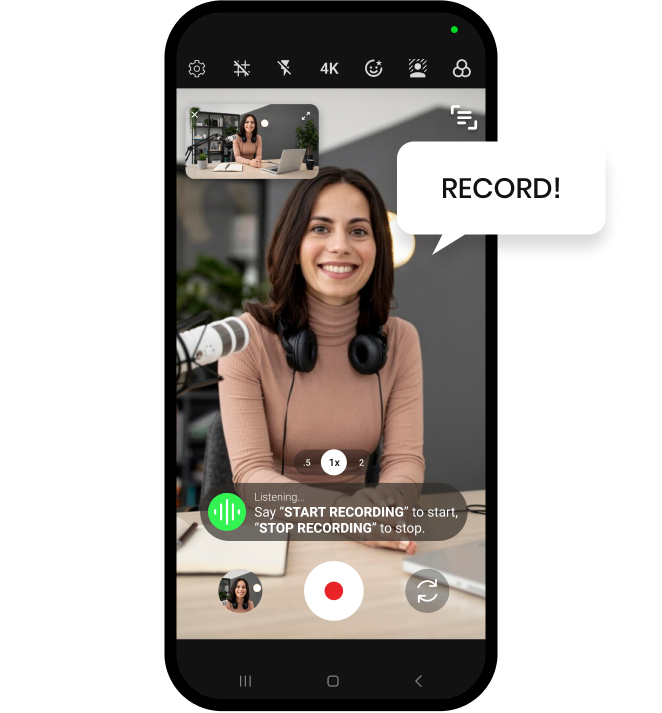
Saying Record to start a hands-free take in Shootsolo

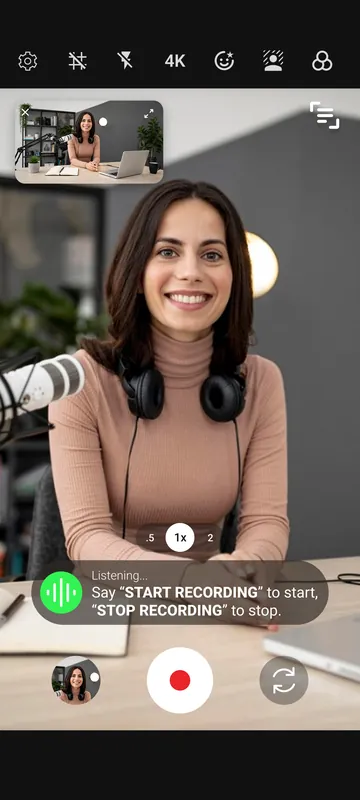
Say "start recording"

Shootsolo begins the take instantly — no taps, no countdown.

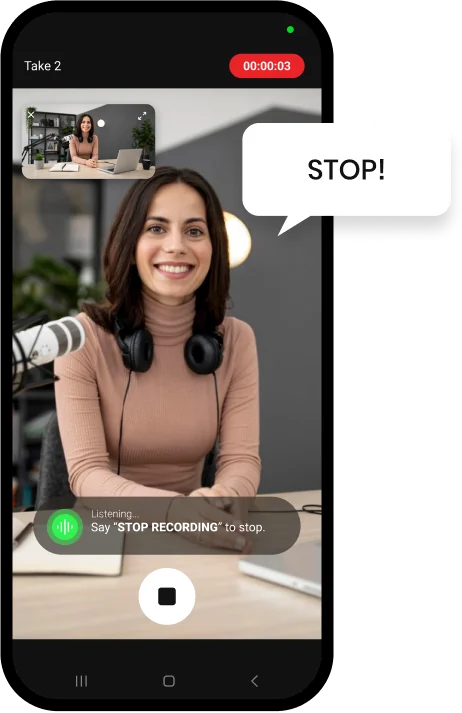
Saying Stop to end the take in Shootsolo

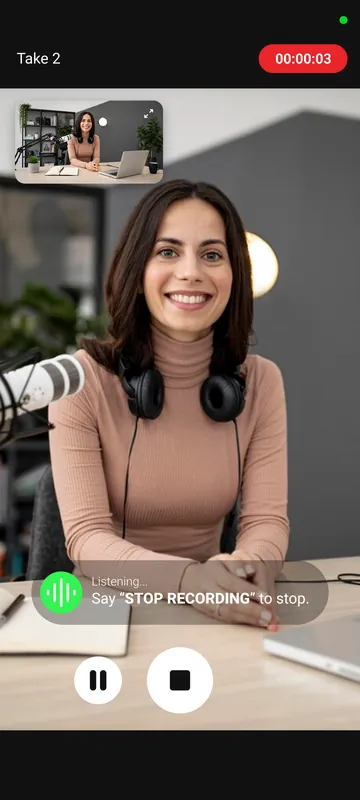
Say "stop recording"

Shootsolo stops and asks "Save take?"

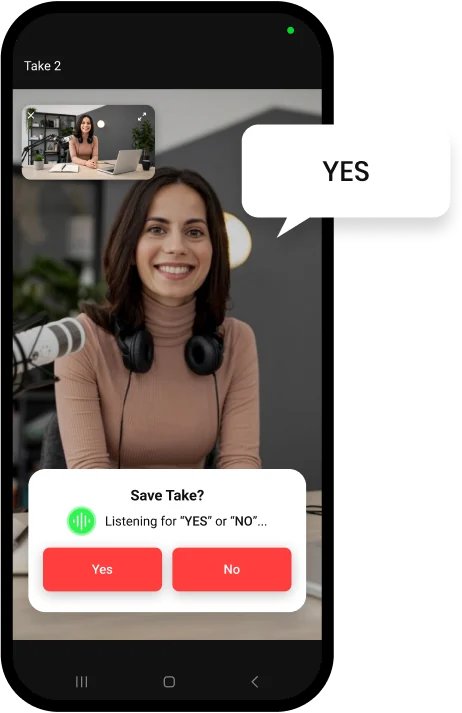
Saying Yes to the Save Take prompt in Shootsolo

Say "yes" or "no"

Say "yes" to keep the take or "no" to reshoot — hands-free.

Why creators choose Shootsolo

  • No walking back to the tripod between takes
  • No Bluetooth remote required — though shutter remotes are supported if you like one
  • No awkward 5-second countdown timers
  • No assistant required — just your voice
  • Built-in teleprompter so you can read your script while looking at the lens
  • Every take saved in portrait and landscape at the same time
  • Completely free — unlimited recording, no ads, no watermark
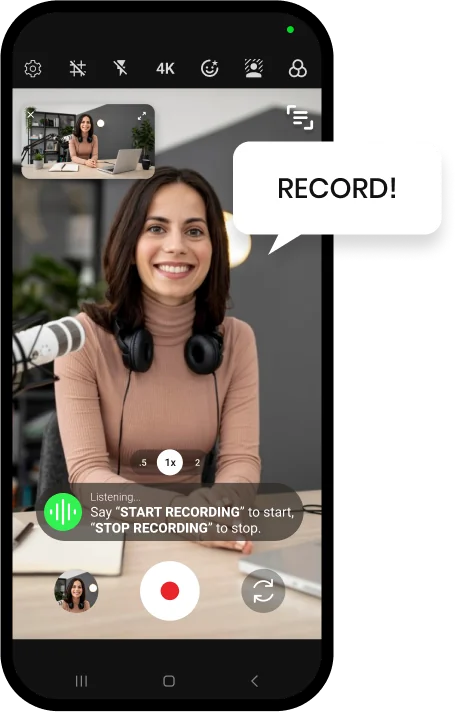
Shootsolo camera screen listening for the Start Recording voice command, with a small landscape preview Shootsolo recording a take, listening for the Stop Recording voice command

Why voice beats every other workaround

Recording yourself hands-free is essential for vloggers, fitness creators, tutorial makers, and anyone filming in motion. Delay timers and Siri tend to break the flow of a shoot, and a Bluetooth shutter — which Shootsolo supports if you like one — is still one more thing to hold. A dedicated voice-controlled camera app like Shootsolo is purpose-built for the job. Because your hands never touch the screen, you can also scroll a script in the built-in teleprompter while you record, and the whole app is free with no limits.


Download for iPhone   Download for Android

Frequently Asked Questions

What's the easiest way to record yourself hands-free?

Use a voice-controlled camera app like Shootsolo. It starts and stops recording on command, so you can film without touching your phone.

Can I record myself hands-free on iPhone?

Yes — install Shootsolo from the App Store and you can record any video on your iPhone hands-free using voice commands.

Can I record myself hands-free on Android?

Yes — Shootsolo is available on Google Play and works on Android the same way it does on iPhone.

Do I need a Bluetooth remote to record hands-free?

No. With a voice-controlled app like Shootsolo, your voice replaces the remote, so there's no extra hardware to buy or charge. If you prefer a physical button, Shootsolo also supports Bluetooth shutter remotes.

Can I use Siri or Google Assistant instead?

You can, but it's unreliable and slow. A dedicated app like Shootsolo is built for filming and responds instantly to recording commands.

Can I read a script while recording hands-free?

Yes. Shootsolo has a built-in teleprompter that shows your script on screen while you record, with adjustable scroll speed and text size, so you keep eye contact with the lens.

Does hands-free recording need an internet connection?

No. Shootsolo works 100% offline, so voice commands like "start recording", "pause recording", "resume recording", and "stop recording" work anywhere — no Wi-Fi or mobile data needed.

Download Shootsolo — Free

Available on iPhone and Android.


Download for iPhone   Download for Android